Find and delete duplicate files on your computer
CloneSpy is a very efficient program that finds duplicate files on your PC, allowing you to free space on your hard disk. This ensures your operating system to run better and even faster, depending on the type of duplicate files you had.
Top Recommended Alternative

You almost surely have doubled music files which occupy useless space on your HDD. This happens when, for example, you borrow a music CD from a friend and you copy it all without realizing you might already have some of the songs included in your friend’s CD.
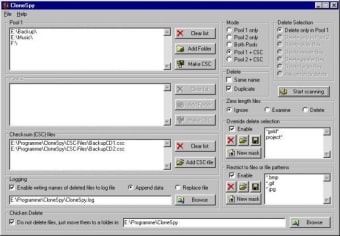
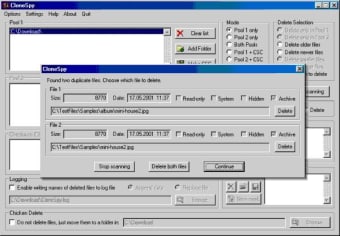
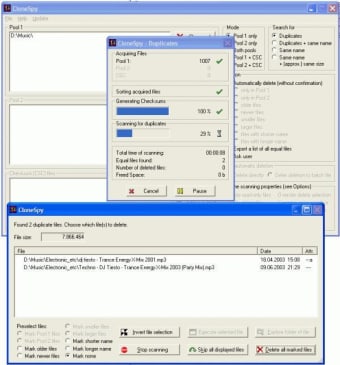
Before you can start scanning your system with CloneSpy though, add a folder in the ‘pool1’ section. When you browse the CloneSpy directory you want to analyze, bear in mind you need to press the ‘add selected folder’ or the ‘add all sibling folders’ button, otherwise the process will not work, and you will be left with a feeling of not knowing what happened. If you don’t change CloneSpy settings, the program will ask you every time before deleting a file, always showing you the two supposedly duplicate files.
Although CloneSpy’s GUI is surely not so user friendly, the program is so useful that we can close an eye on that. CloneSpy helps you find all duplicate files on your computer to free space on your hard disk and make your PC work better.
Changes
Added: Exported lists of duplicate files can now be configured to contain a header and a summary (see Export page of the Options window). Added: Exported CSC-files can now be configured to contain a header (see the Export CSC-file window). Modified: Redesigned the Options window from tab-based to page-based view in order to solve scaling issues with different font sizes. Modified: The options for creating batch files and for exporting lists of duplicate files are now separated into two individual option pages. Modified: If started for the very first time CloneSpy now asks for saving the settings on program exit. Modified: Floating-point numbers are now represented according to the user's preferred native locale. Modified: Improved the error message which is shown when hard links cannot be created due to insufficient rights of the user running CloneSpy. Modified: Hard links are no longer replaced by new hard links. Fixed: The number of hard links that can be created is no longer limited. Fixed: The command line options for changing the setting of the Mode frame in the Main window no longer cause a crash (regression since v2.6).